
Predictive Scheduling Agent
Material call-off planning tied to BIM, weather, and crew progress

The Predictive Scheduling Agent is an AI worker that aligns material delivery dates with the construction schedule by reading BIM model updates, weather forecasts, and crew progress in real time. It moves call-off dates forward or backward as the project's reality shifts, so materials arrive when crews are ready — not before, not after.

Materials arriving too early clog laydown areas, increase damage and theft risk, and tie up working capital. Materials arriving too late stop crews. Both problems come from the same root cause: a static call-off plan colliding with a dynamic project. The Predictive Scheduling Agent treats the schedule as a living forecast — recalibrating as weather delays a pour, a crew finishes early, or a BIM revision changes a quantity. The procurement team owns the call-off date; the agent makes sure that date reflects what's actually happening on site this week.

  • Delay detection cut from days to minutes.
  • Reroute options costed before they're needed.
  • Schedule, site, and vendors synced in one pass.
  • Crews stay productive, milestones stay protected.
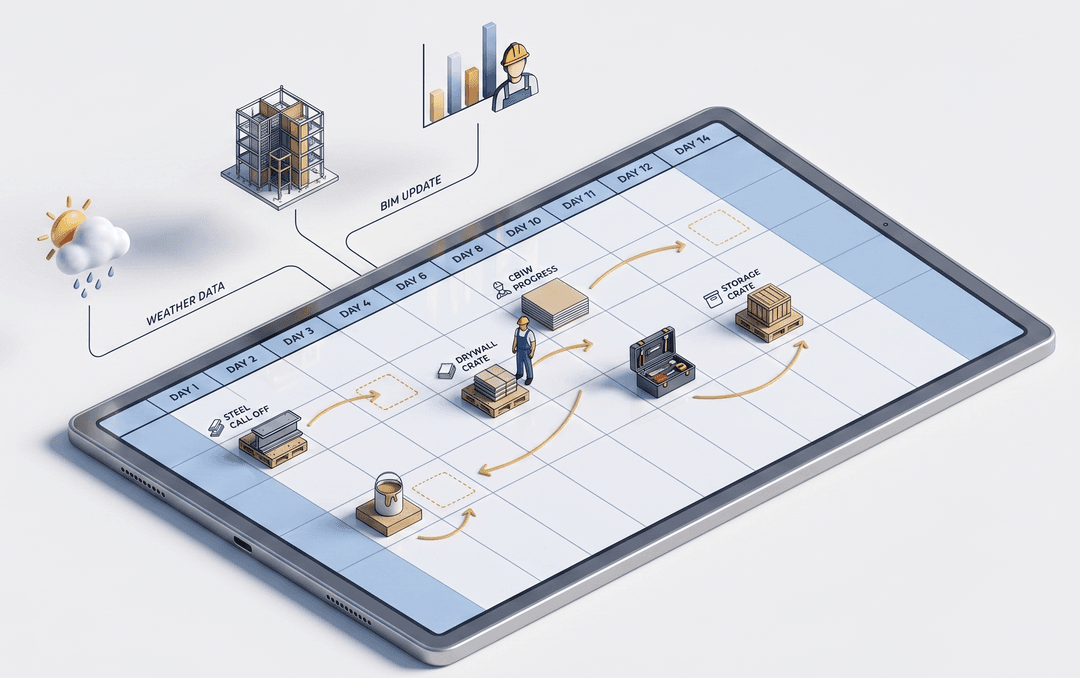
Predictive Scheduling Agent aligning material delivery dates with BIM models, weather forecasts, and crew availability
What the Predictive Scheduling Agent Does
BIM, weather, crew progress.
Materials arrive when crews are ready.
1
Reads — BIM and schedule, live
  • Revit, Navisworks, Tekla, IFC
  • Primavera and MS Project synced
  • Every revision triggers recalc
2
Forecasts — With weather built in
  • Multiple weather feeds blended
  • Ensemble forecasts, not single source
  • Weather-sensitive activities flagged
3
Adjusts — As crews progress
  • Daily field reports feed back
  • Crews ahead trigger earlier call-offs
  • Crews behind push dates out
4
Recommends — With confidence bands
  • Tight bands for near-term dates
  • Wider bands further out
  • Procurement team owns the call
Why the Predictive Scheduling Agent
Manual tracing versus automated tracking
Manual processWith Shipment Agent
Detection lagHours to daysMinutes
Response triggerTruck fails to arriveProjected ETA shifts
Impact analysisManual, after the factAutomatic, on detection
Action takenPhone calls and scramblingPre-evaluated alternatives ready
Stakeholder updatesSequential email chainsAll parties, one pass
Site downtime riskHighMaterially reduced
FAQs
Frequently Asked questions

Common questions about how the Predictive Scheduling Agent reads BIM and schedule data, how far ahead it forecasts, what happens without BIM, and how procurement teams stay in control of call-off dates.

Learn More

What BIM tools does the agent integrate with?

We are currently building integrations with Revit, Navisworks, Tekla, and IFC models on case by case basis. We will also build integrations to read schedule data from Primavera and MS Project. If your team uses a different tool, we can build a custom integration or use a file-based approach.

How far ahead does the agent forecast?

Up to the full project duration, with confidence intervals that widen further out. Near-term forecasts (two to four weeks) drive immediate action; long-term forecasts inform supplier capacity planning.

Does it work without BIM?

Yes, with reduced precision. A detailed Primavera or MS Project schedule plus material takeoffs is the minimum viable input. BIM adds geometric and sequencing detail that improves accuracy.

Can the procurement team override its recommendations?

Yes, always. The agent's role is to surface the recommendation; the call-off date is owned by the procurement team.

What weather data sources does it use?

Multiple commercial and government feeds, blended for accuracy. The agent uses ensemble forecasts rather than relying on a single source.